



What is Microsoft Sentinel
Microsoft Sentinel is Microsoft’s cloud-native Security Information and Event Management (SIEM) and Security Orchestration, Automation, and Response (SOAR) platform built on Azure.
Microsoft Sentinel is designed to collect security data from across an organization, correlate signals, detect threats, and automate responses.
It serves as the central security analytics and orchestration layer across Microsoft’s security stack. Microsoft Defender products generate detection signals, Microsoft 365 Defender correlates them into unified incidents, and Microsoft Entra ID provides identity context. Sentinel brings all these signals together, enabling cross-domain correlation, advanced investigation, and automated response at scale.
Is Microsoft Sentinel the same as Azure Sentinel?
Azure Sentinel was the original name of Microsoft Sentinel before it was rebranded in 2021. The change reflects its broader integration across Microsoft’s security ecosystem beyond Azure alone. Despite the rebranding, the term “Azure Sentinel” is still commonly used in the security community.
Microsoft Sentinel as a Cloud-Native SIEM Platform
Microsoft Sentinel acts as a cloud SIEM by ingesting security data from multiple sources, normalizing it, and correlating signals to identify threats. It replaces traditional on-prem SIEM systems with a scalable, cloud-native architecture built on Azure Log Analytics and Kusto Query Language (KQL).
Microsoft Sentinel SOAR Capabilities and Automated Response
Microsoft Sentinel supports SOAR capabilities through built-in automation and orchestration features that enable security teams to respond to incidents without manual intervention. It uses playbooks powered by Azure Logic Apps to execute predefined workflows when alerts or incidents are triggered.
These workflows can automate tasks such as alert enrichment, incident routing, ticket creation, notifications, IP blocking, account disablement, or endpoint isolation. Playbooks can be triggered manually, on a schedule, or automatically based on analytics rules.
By integrating detection, context, and response in a single workflow, Sentinel reduces response time, standardizes incident handling, and improves consistency across security operations.
Data collecting in Microsoft Sentinel
Microsoft Sentinel collects data through built-in data connectors that integrate with Microsoft services, third-party security tools, and on-premises systems. All ingested data is stored in an Azure Log Analytics Workspace, which serves as Sentinel’s core data engine and enables advanced querying and analysis.
Microsoft Sentinel Threat Intelligence Integration
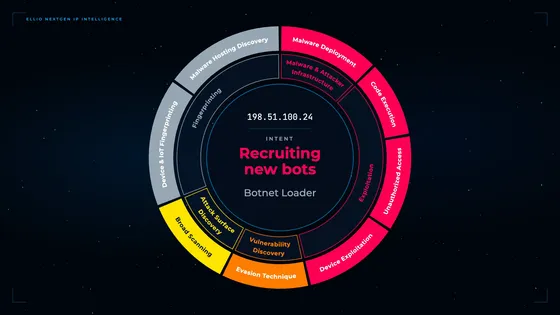
Microsoft Sentinel uses threat intelligence to correlate security telemetry with known indicators of compromise (IOCs) such as malicious IPs, domains, URLs, file hashes, and attacker infrastructure patterns.
It leverages both Microsoft Threat Intelligence (from Microsoft’s global telemetry across Microsoft Defender, Azure, and M365 environments) and external intelligence feeds (commercial providers, OSINT, and custom customer-provided feeds). These indicators are ingested into Sentinel and normalized for use across analytics, hunting, and automation workflows.
Once integrated, Sentinel continuously matches threat intelligence against incoming logs and security events in near real time. Matches enrich alerts and incidents with context such as reputation, related campaigns, and known adversary infrastructure, improving triage speed and reducing false positives.
For more advanced use cases, security teams can operationalize threat intelligence in KQL-based hunting queries and analytics rules, enabling proactive detection of historical exposure and live malicious activity across hybrid environments.
Frequently Asked Questions
What is an incident in Microsoft Sentinel?
An incident in Microsoft Sentinel is a correlated grouping of alerts that together represent a potential security threat. Instead of analyzing individual alerts, analysts investigate incidents to understand attack context, affected users or systems, and the progression of malicious activity.
What are playbooks in Microsoft Sentinel?
Playbooks in Microsoft Sentinel are automated response workflows that execute predefined actions when triggered by alerts or incidents. They are built using Azure Logic Apps and enable automation such as notifying SOC teams, enriching threat data, isolating compromised endpoints, or blocking malicious indicators.
What are workbooks in Microsoft Sentinel?
Workbooks in Microsoft Sentinel are interactive visualization and reporting tools that allow security teams to monitor security posture, analyze trends, and investigate activity patterns through dashboards built on top of KQL queries.
What role does Kusto Query Language (KQL) play in Microsoft Sentinel?
Kusto Query Language (KQL) is the primary language used in Microsoft Sentinel to query and analyze security data stored in Log Analytics. It is used for threat hunting, building detection rules, investigating incidents, and performing large-scale log analysis across multiple data sources.
How does Microsoft Sentinel integrate with Microsoft Defender?
Microsoft Sentinel integrates directly with Microsoft Defender products (specialized security tools such as Defender for Endpoint, Defender for Office 365, Defender for Identity, and Defender for Cloud), which provide detection across endpoints, identities, email, and cloud workloads. Defender generates alerts and incidents, while Sentinel aggregates, correlates, and enriches this data to provide broader cross-domain visibility and investigation.
How does Microsoft 365 Defender (Defender XDR) connect to Microsoft Sentinel?
Microsoft 365 Defender, also known as Defender XDR, correlates security signals across Microsoft security domains into unified incidents. These incidents can be streamed into Microsoft Sentinel, where they are further analyzed, enriched with additional data sources, and incorporated into automated response workflows.
How does Microsoft Sentinel use Microsoft Entra ID?
Microsoft Sentinel integrates with Microsoft Entra ID (formerly Azure Active Directory) to monitor identity and access activity. This includes detection of suspicious sign-ins, credential abuse, privilege escalation attempts, and anomalous authentication behavior across cloud and hybrid environments.